Chess and Engine Programming
Programming a Chess Engine
Intro
“The first step for making a chess engine believe it or not, is writing the actual game of chess.” - Me
I learnt this lesson pretty quick. My pedantic OCD coding process didn’t help either. But writing chess the game so far has been much harder than I thought it would be, but has also been very rewarding. Thus, this post is split into two: programming the game and complying with the rules set by the FIDE and then eventually writing the actual engine to play against.
If you’re asking why I didn’t use a prebuilt chess GUI its because of my limited Object-Oriented programming experience. And Chess is for sure a great way to practise this with its board and piece hierarchies. But also because Dear Imgui and others in Visual Studio scares me to my core, so here I am.
The provided code is abstract or short to avoid making this a bit overloaded, if you’d like to see the full code it is available here: Full Code
Goals
The goal for this post is to document my progress, the progress may be large jumps it may be smaller all depending on my capacity for writing as opposed to programming. If I feel like programming and am in a good flow state I will continue programming and probably skip a lot of steps. You’ve been warned. This isn’t necessarily a tutorial but is hopefully still insightful.
I’ll put the rest of my goals in a more formal list for readability below:
- Document progress
- Discuss methods and techniques and why I used them
- Develop a functioning chess game with mouse movement and clicks
- Develop a competent AI to play against
- Develop a welcome screen to select black/white for the player and perhaps a welcome message
- Have fun and be creative
Step 1: Writing the Game of Chess
Tools
To develop my C and OOP experience I chose to write this in C++. For the GUI and window handling I chose SFML because of its ease of use.
One command and you can create windows and draw to them (you’ll need some code too actually), but its a welcome change from other more complex C++ GUIs I’ve tried and haven’t been able to setup for reasons we shall not be discussing.
1
sudo apt-get install libsfml-dev
Working Board and Initial Pieces
As I said I might previously, I’ve skipped a lot of steps here. But the board has been successfully drawn and the initial pieces positions too.
A board class contains a squares vector of type sf::RectangleShape, pieces are given a color upon instantiation and are appended to a pieces vector also held by the board. This is a nice change from having to write my own data structure to hold these objects.
Looping through the squares vector and appending the appropriate color and position we can draw 64 small squares depending on the size of the window the user has chosen (must be square). We know the color of a square based on the sum of the 2D coordinates, (0,1) for example is an odd sum and would be black.
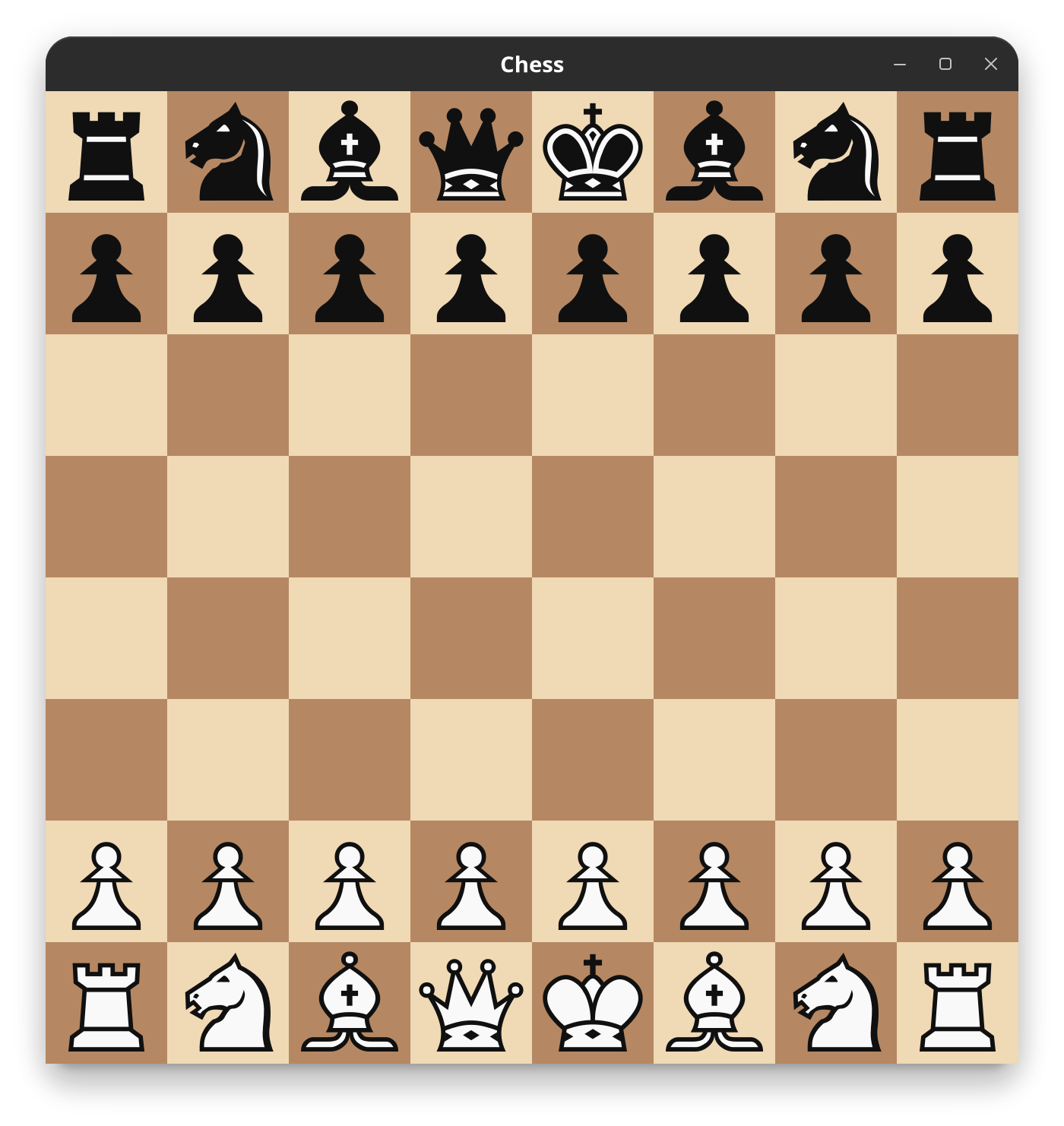
Looping through the pieces vector and calling the draw function available to Pieces we can draw them appropriately. The Piece and derived-classes with a Pawn as an example is shown below, its like this for all other pieces bar the texture being drawn right now.
1
2
3
4
5
6
7
8
9
10
11
12
13
14
15
16
17
18
19
20
21
22
23
24
25
26
27
28

class Piece {

public:
    Piece(Color col, sf::RenderWindow& w, int squ_idx, int b_squ_sz) :
    color(col), window(w), square_index(squ_idx), board_square_size(b_squ_sz){}

    void draw(sf::RenderWindow& window) {

        texture.loadFromFile(get_texture_path());
        sf::Vector2f pos = index_to_2d(square_index);

        sprite.setTexture(texture);
        sprite.setPosition(pos * (float)board_square_size);
        window.draw(sprite);
    }
    virtual std::string get_texture_path() = 0;
};

class Pawn:public Piece {
public:
    Pawn(Color col, sf::RenderWindow& w, int squ_idx, int board_square_size) :
    Piece(col, w, squ_idx, board_square_size) {}

    std::string get_texture_path() override {
        return color == Color::WHITE ? "assets/wP.png" : "assets/bP.png";
    };
};
How are they positioned correctly? Good question, it worked once and now works for all of the pieces which makes me think having get_texture_path() as a virtual function in Piece was a very good idea, if you don’t mind me saying. The square index on the board is taken at instantiation shown below with the two white bishops, converted to 2D coordinates and multiplied by board member board_square_size to give us the correct (x,y) on the drawn board.
1
2
3
4
pieces.push_back(new Bishop(Color::WHITE, window, 58, board_square_size));
pieces.push_back(new Bishop(Color::WHITE, window, 61, board_square_size));
set_bit(w_bishops, bitboard_to_draw_index(58));
set_bit(w_bishops, bitboard_to_draw_index(61));
Drawing a piece also sets the appropriate bit on a bitboard which I chose to locate all pieces on the board. Thus there is a bitboard for white pawns (w_pawns) in the form of a uint64_t and for all other colors and types of pieces. This is an efficient way to store this data as it uses a full CPU register and allows for fast bitwise operations: checking if a square is occupied, generating moves, or finding attacked squares can all be done in a single instruction rather than looping over an array. More on that later of course, once I get to using them to move pieces etc..
So thats the general gist of that. The files are a bit of a mess, I’ve written most of it in header files for no particular reason. Eventually I will modularise the files a bit more and make a source folder but for now its fine. I have board.hpp, util.hpp and pieces.hpp as of right now. In other words I’m lazy and this isn’t a problem until it affects future me.
Changing the size of the window for now works for all bar the pieces which will be smaller. As the piece image sizes are constant. I wanted to make this dynamic but resizing images may be overkill.I’ve started in a way that would probably allow for this if deemed useful/necessary.
Debug Window
It’d be pretty devastating if I set all this up and a data structure wasn’t representative of the visual board state. Hence I wrote another window to display bitboards of certain pieces, this will be very useful when I begin moving pieces. The long-term aim will be for the this to update in real-time alongside the main window. As you can see though this is working well, the shown bitboard is the one for black pawns. The white telling us a black pawn is present and black for none.
Initial piece positions
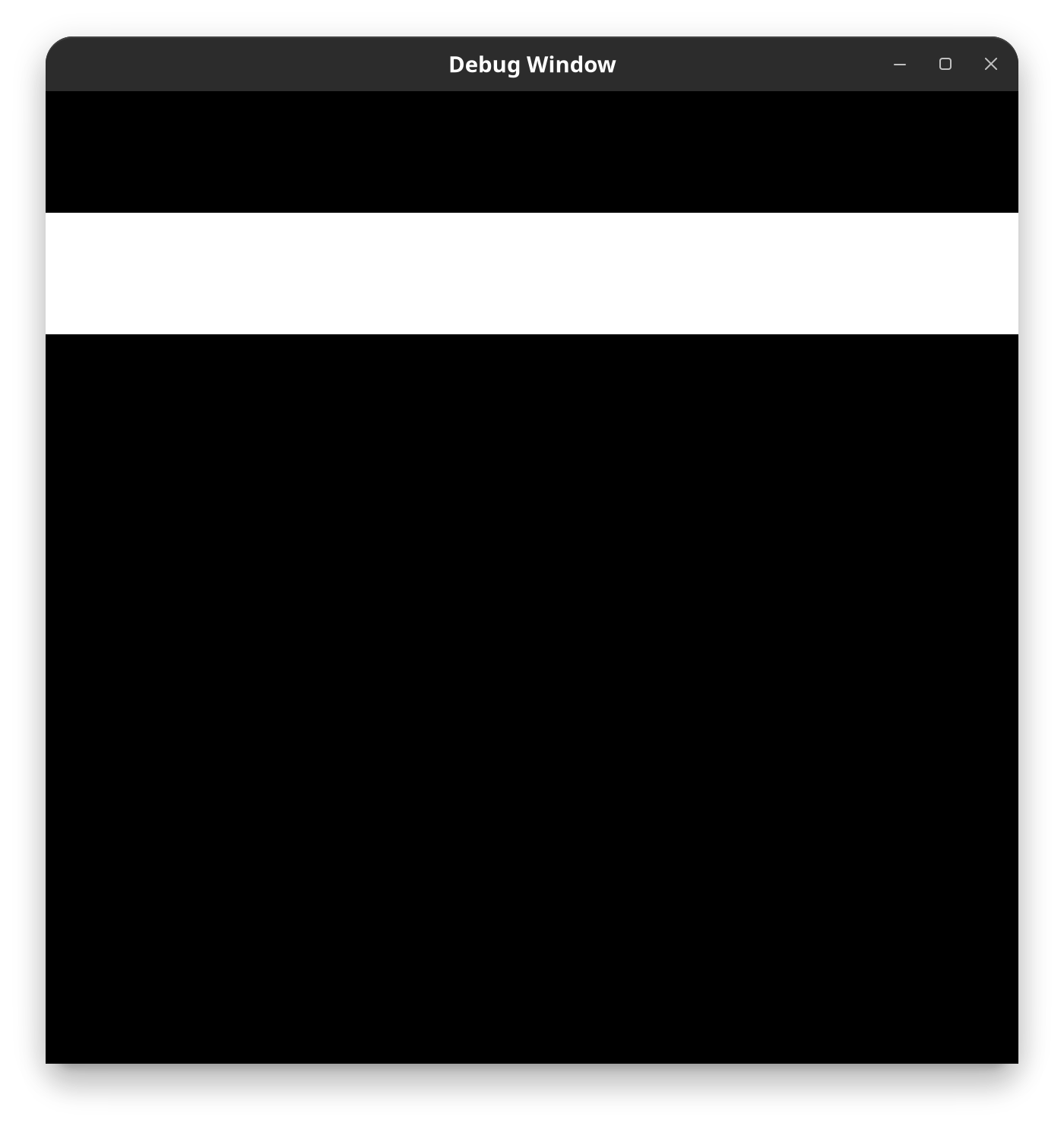
Black pawns bitboard
Maybe I’ll change the colors for showing a bitboard later to green and red, that might make more sense. Could be jarring though who knows. Definitely overthinking that.
The code comment below in my bitboard related private Class section I think will help explain a bitboard for the uninitiated. With MSB being most significant bit and LSB being the least equivalent.
1
2
3
4
5
6
7
8
9
10
11
12
13
14
15
16
17
18
19
20
21
22
23
24
 /*

    uint64_t w_pawns bitboard initial positions example.

        a    b    c    d    e    f    g    h
    +----+----+----+----+----+----+----+----+
    | MSB|    |    |    |    |    |    |    | 8
    +----+----+----+----+----+----+----+----+
    |    |    |    |    |    |    |    |    | 7
    +----+----+----+----+----+----+----+----+
    |    |    |    |    |    |    |    |    | 6
    +----+----+----+----+----+----+----+----+
    |    |    |    |    |    |    |    |    | 5
    +----+----+----+----+----+----+----+----+
    |    |    |    |    |    |    |    |    | 4
    +----+----+----+----+----+----+----+----+
    |    |    |    |    |    |    |    |    | 3
    +----+----+----+----+----+----+----+----+
    |  1 |  1 |  1 |  1 |  1 |  1 |  1 |  1 | 2
    +----+----+----+----+----+----+----+----+
    |    |    |    |    |    |    |    | LSB| 1
    +----+----+----+----+----+----+----+----+

    */
The 1 in the uint64_t indicates the presence of the type of piece in that position and a 0 will mean there is none, on this comment the zeros are just left blank and the `uint64_t is arranged showing how it represents the board. As you can see the white pawns starting positions are found on the second rank as they should. This is how all piece types and positions will be stored.
Most of the code is in a debug() method within the Board class. A boolean is taken called enable_debug when instantiating the board and the window shows dependant on this.
The shown bitboard or anything else I might want to draw will be appended to debug() with sub-functions. The bitboard one is called debug_bitboard and is shown below.
1
2
3
4
5
6
void debug_bitboard(uint64_t bitboard) {
    for (int i = 0; i < GRID_NUM_SQUARES; i++) {
        int draw_idx = GRID_NUM_SQUARES - i - 1;
        debug_squares[draw_idx].setFillColor(bitboard & (1ULL << i) ? WHITE : BLACK);
    }
}
It simply iterates over a seperate debug_squares vector held by Board and changes their fill color dependant on the chosen bitboard and then draws to the seperate debug_window. Where GRID_NUM_SQUARES is a constant representing 64.
Main Function
Here is a glimpse of the main function so far, I want to keep it as simple as possible and thought I’d just show it here for a bit more clarity. I’d be surprised if it changes too much throughout the rest of the project.
1
2
3
4
5
6
7
8
9
10
11
12
13
#include <iostream>

#include "board.hpp"

int main() {

    bool enable_debug = true;

    Board board = Board(WINDOW_WIDTH, WINDOW_HEIGHT, WINDOW_NAME, enable_debug);
    board.init();
    board.run();
    return 0;
}
Very simple as you can see and shows how enable_debug works when creating the board as well as a few other constants we’re passing to the constructor.
Optimization: Reducing Piece Object Count
These optimization chapters are just gunna be me refactoring code that we can improve to be more efficient. So I haven’t necessarily added more functionality but improved performance with existing code. This one is for reducing object piece instances and getting rid of some annoying magic numbers.
I was asleep late last night when it came to me in a dream that we could reduce a lot of memory expenditure by only have an object instance for each kind of piece instead of loading the same texture multiple times from multiple objects.
The dream thing was actually all a ruse believe it or not, I saw the idea in a Youtube video and thought it was pretty smart so I thought I’d copy and implement it before moving forward. Because who doesn’t like efficiency.
To describe what I changed I need to describe how it was beforehand which we can do with some of the Piece code shown below.
1
2
3
4
pieces.push_back(new Bishop(Color::WHITE, window, 58, board_square_size));
pieces.push_back(new Bishop(Color::WHITE, window, 61, board_square_size));
set_bit(w_bishops, bitboard_to_draw_index(58));
set_bit(w_bishops, bitboard_to_draw_index(61));
As we can see here we are creating two white bishops with two Bishop instantiations, as well as providing some magic numbers to the constructor which I didn’t like. The problem with the setup was that we would need an object for every piece on the board when this doesn’t have to be the case.
We can have a Piece object for each type of piece: White Bishop, Black Rook and White Pawns etc… And loop through a piece_positions vector in this class, and draw the texture at the appropriate positions in a new Piece::draw() function. The new draw function and Piece constructor is shown below.
1
2
3
4
5
6
7
8
9
10
11
12
13
14
15
16
public:
    Piece(Color col, sf::RenderWindow& w, uint64_t bitboard, int b_squ_sz) :
    color(col), window(w), board_square_size(b_squ_sz){
        bitboard_to_piece_pos(bitboard, piece_positions);
    }

    void draw(sf::RenderWindow& window) {

        texture.loadFromFile(get_texture_path());
        sprite.setTexture(texture);

        for (int i = 0; i < piece_positions.size(); i++) {
            sprite.setPosition(piece_positions[i]);
            window.draw(sprite);
        }
    }
This is the new draw function found in parent class Piece, it now takes in the bitboard for this type of piece instead of the square_index of an individual piece removing all those magic numbers when we create a Piece.
Tying this back to the old Bishop example I gave earlier this would be the new code achieving the same thing.
1
active_pieces.push_back(new Bishop(Color::WHITE, window, w_bishops, board_square_size));
We pass the appropriate bitboard and in the constructor we convert the bitboard to the appropriate positions and loop through these positions to draw the same texture for the amount of white bishops we have. I also just initialised bitboards appropriately at game start because that won’t change until I implement the player being black.
You can see how for a Pawn and all pieces this is significant, but Pawn in particular as we require so many. Now we will only require two pawn objects for black and white whereas before it would have been sixteen for each individual one!
1
2
3
4
5
6
7
8
9
10
11
12
13
14
15
16
17
/* WHITE */

active_pieces.push_back(new King(Color::WHITE, window, w_king, board_square_size));
active_pieces.push_back(new Queen(Color::WHITE, window, w_queen, board_square_size));
active_pieces.push_back(new Rook(Color::WHITE, window, w_rooks, board_square_size));
active_pieces.push_back(new Bishop(Color::WHITE, window, w_bishops, board_square_size));
active_pieces.push_back(new Knight(Color::WHITE, window, w_knights, board_square_size));
active_pieces.push_back(new Pawn(Color::WHITE, window, w_pawns, board_square_size));

/* BLACK */

active_pieces.push_back(new King(Color::BLACK, window, b_king, board_square_size));
active_pieces.push_back(new Queen(Color::BLACK, window, b_queen, board_square_size));
active_pieces.push_back(new Rook(Color::BLACK, window, b_rooks, board_square_size));
active_pieces.push_back(new Bishop(Color::BLACK, window, b_bishops, board_square_size));
active_pieces.push_back(new Knight(Color::BLACK, window, b_knights, board_square_size));
active_pieces.push_back(new Pawn(Color::BLACK, window, b_pawns, board_square_size));
This is now all the code and objects we need for the whole board, before this optimisation it would have been a bit more overwhelming. And we are successfully drawing to all the correct positions as shown below (its the same initial position image from before but it works trust me).
This felt fairly simple but has been very hard to explain, hopefully that makes some sense. Onward!
Making the Bitboard Window Cycle Through Bitboards
The debug window is now just the bitboard window. I think I would like a toggle for a few debugging features; this is one of them. Another may be writing the mouse position to terminal.
Not spending long on this at all because it took absolutely forever and it would give me PTSD to talk about how I did this again. Long story short though with a few more vectors and lots of pain I can now cycle through displaying bitboards in the debug window by pressing tab in the main window. This will be useful in future when I start moving pieces etc.. The name of the window also changes with the tab press to the appropriate bitboard name.
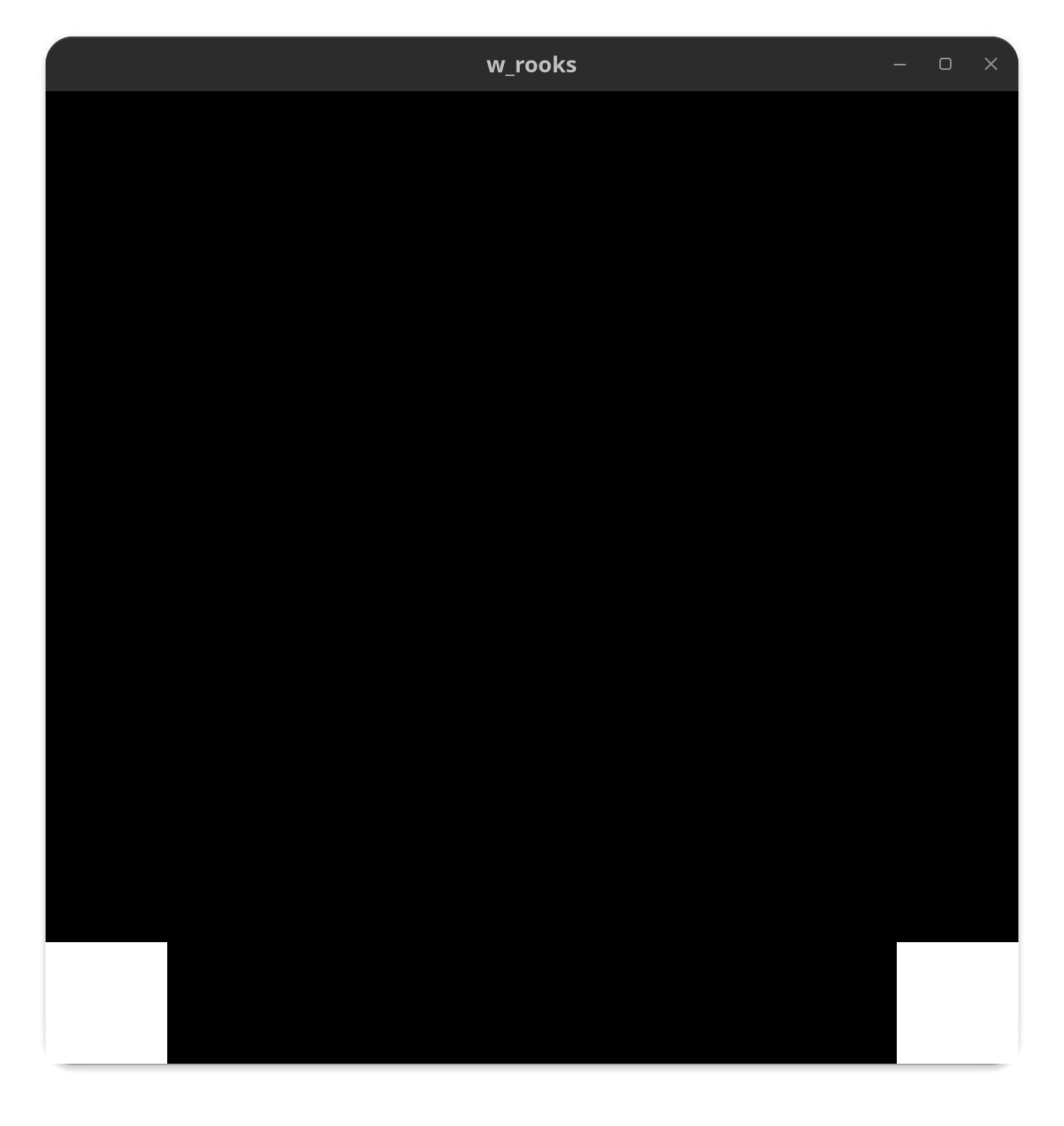
White rooks bitboard
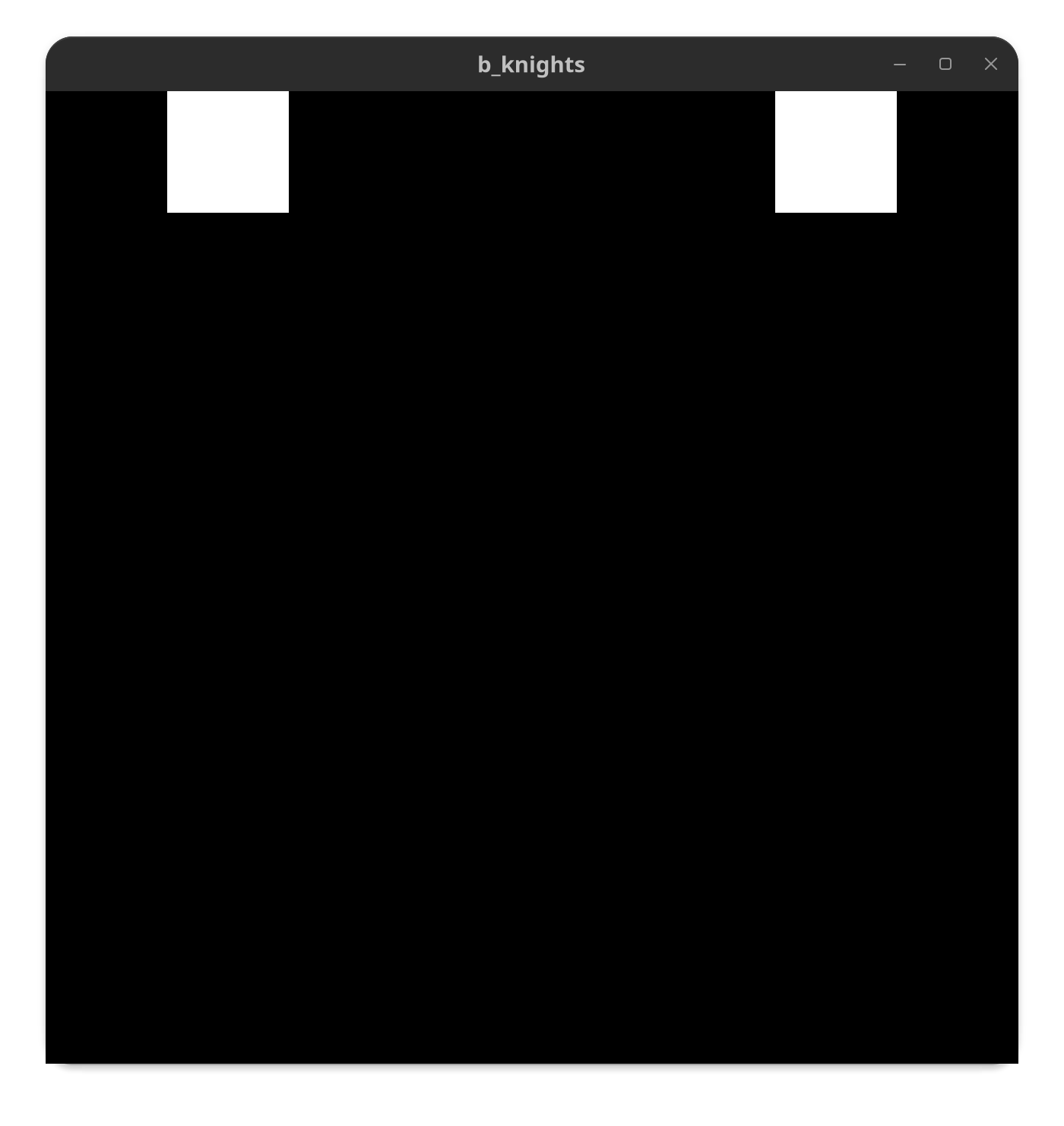
Black knights bitboard
So I will be able to see any bitboard at runtime when debugging. Probably overkill but pretty cool regardless and potentially very handy. I imagine using so many vectors too will also come back to bite me, but thats for a future version of me thats better at C++. For now they seem to work fine even if my Board class is becoming a bit overloaded.
Mouse to Move Pieces
Optimization: Re-rendering Only Upon Board State Changes
As of right now the board and pieces render continuously, this is pretty inefficient. Lets change that! If the user doesn’t change the board state with a mouse click, we don’t have to re-render every run cycle. We can just leave the screen as is, when the user clicks we start rendering again.